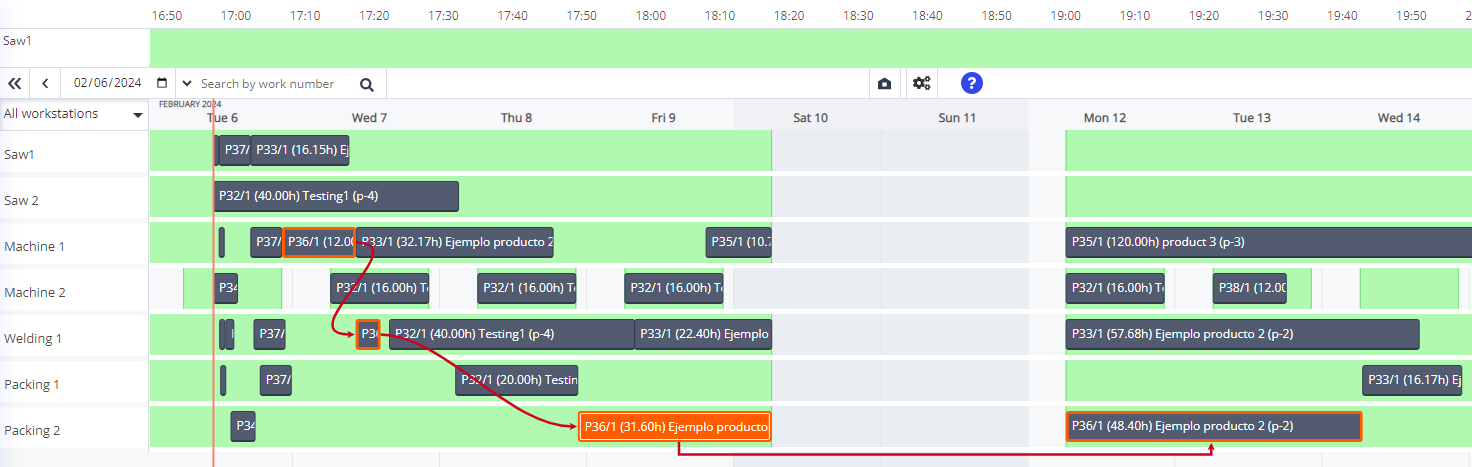
Move a job from one workstation to another
If you need to change a scheduled process step job to another workstation because the client requested it, a better workstation has capacity because a job got removed or any other reason:
- Right-click on the process step job you want to move; in this example, we will move P36 from Packing 1 to Packing 2.
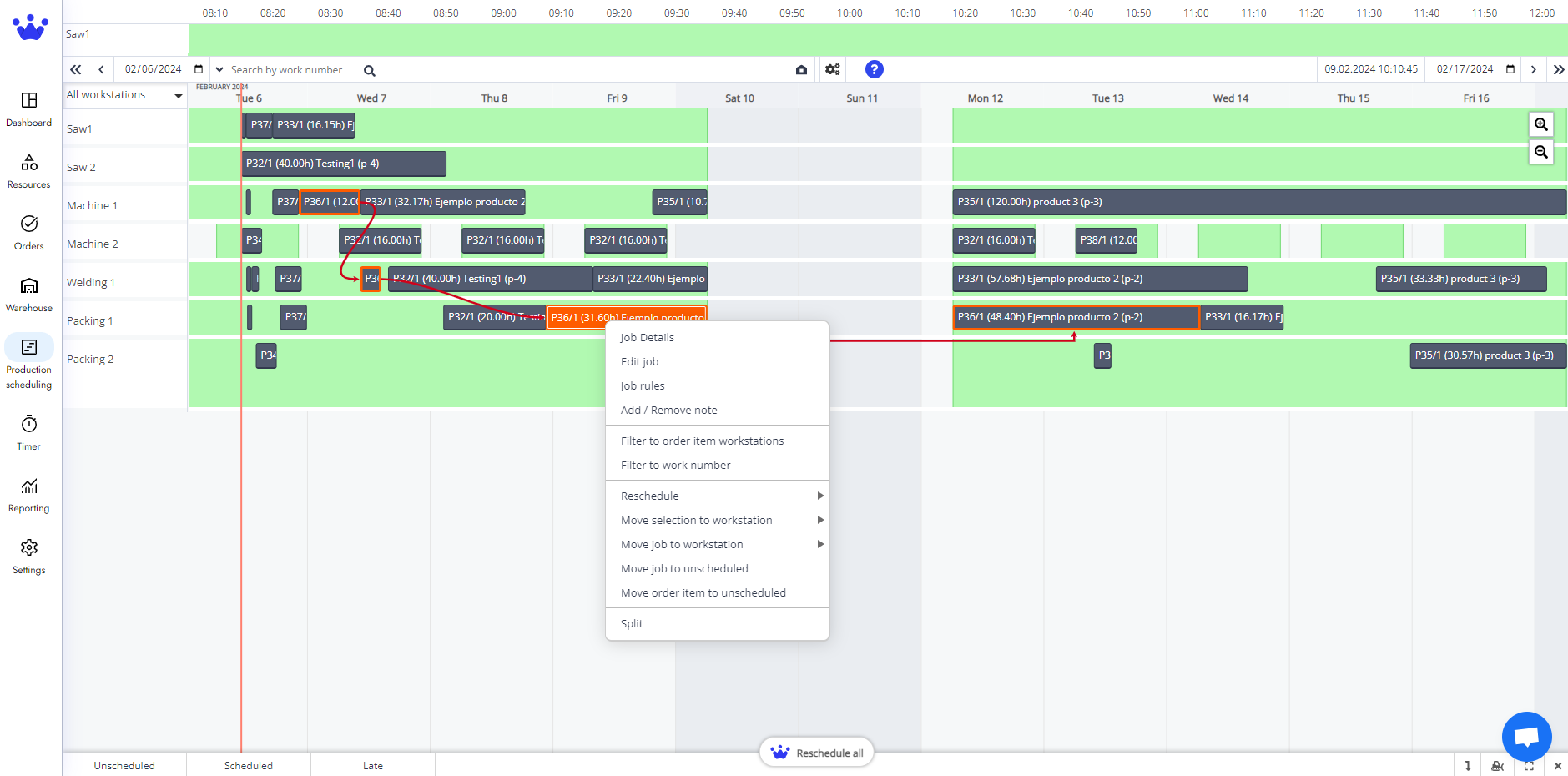
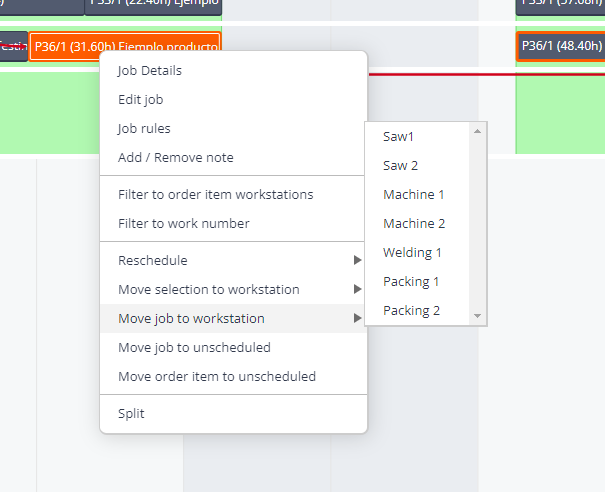
- On the menu, pick Move selection to workstation.
- A new dropdown menu with a list of all the workstations will appear. In this case, we will choose Packing 2.
- This job will now appear in Packing 2.

- Click accept at the bottom right to confirm that you want to change your production schedule.
- Now, your process step job is in another workstation.