
Add a new employee to the Personnel Registry
How to add a new employee to the Personnel Registry
- If you want to add a new employee to the Personnel Registry:
- Go to Resources and select Personnel Registry.
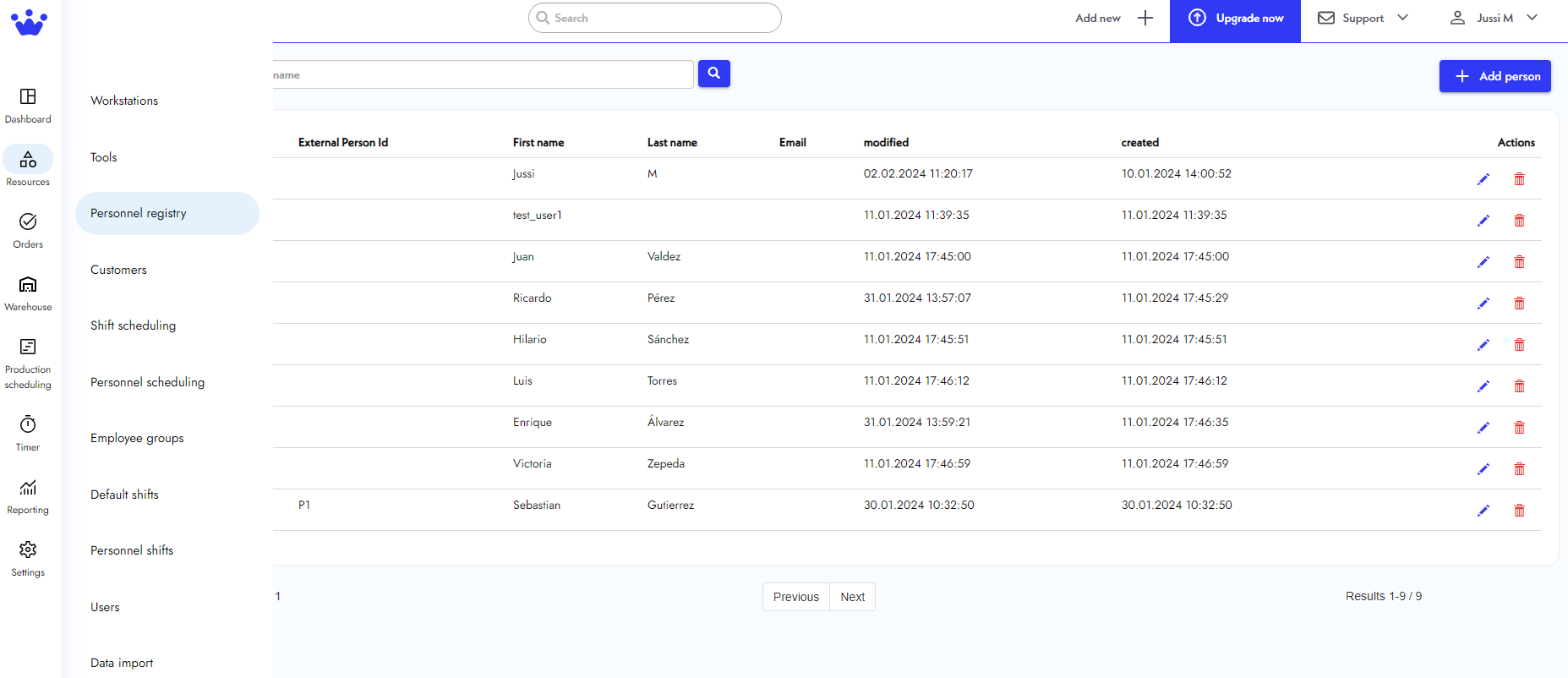
- Next, you will see the Personnel Registry panel. Here, you can view basic information about your employees. Click Add person on the top right of your panel.
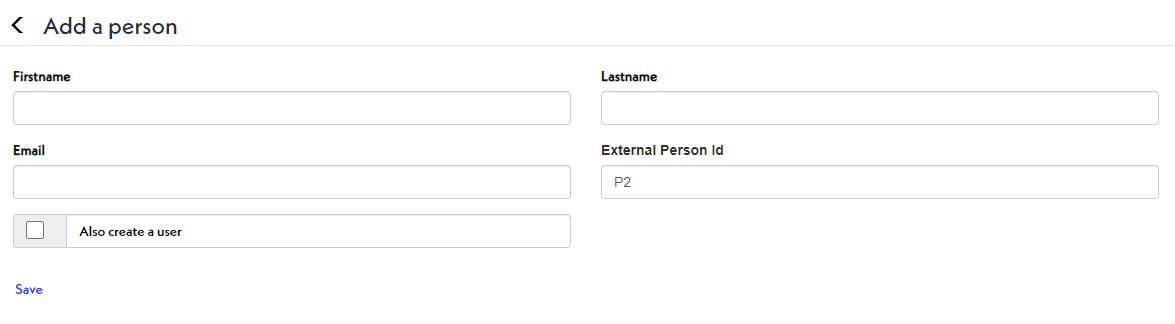
- You can now see the Add a Person panel. Type your new employee's first name, last name, and other relevant information. You can also create a new user.
- Click Save. Now, your new employee will appear on the Personnel Registry Panel.