
Allow moving jobs to other more appropriate workstations
Opting for this option allows the AI to flexibly choose from various workstations for task completion based on your inputs about where each job can be done. You can assign specific tasks to suitable resources, and SkyPlanner's AI will then select the optimal workstation, considering the current production flow.
Moreover, by defining efficiency ratings for each workstation, you ensure that the AI optimizes the use of every resource, enhancing overall production efficiency smartly and seamlessly.
To activate this:
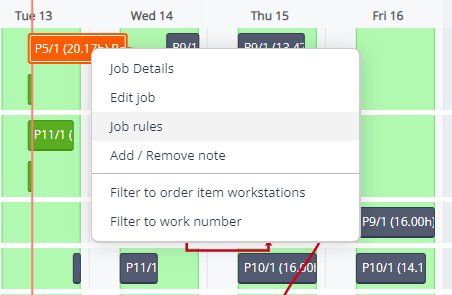
- In the GANTT Timeline, pick any job and right-click on it.
- A dropdown will appear; select Job rules.
- A new window will appear; go to Global rules.
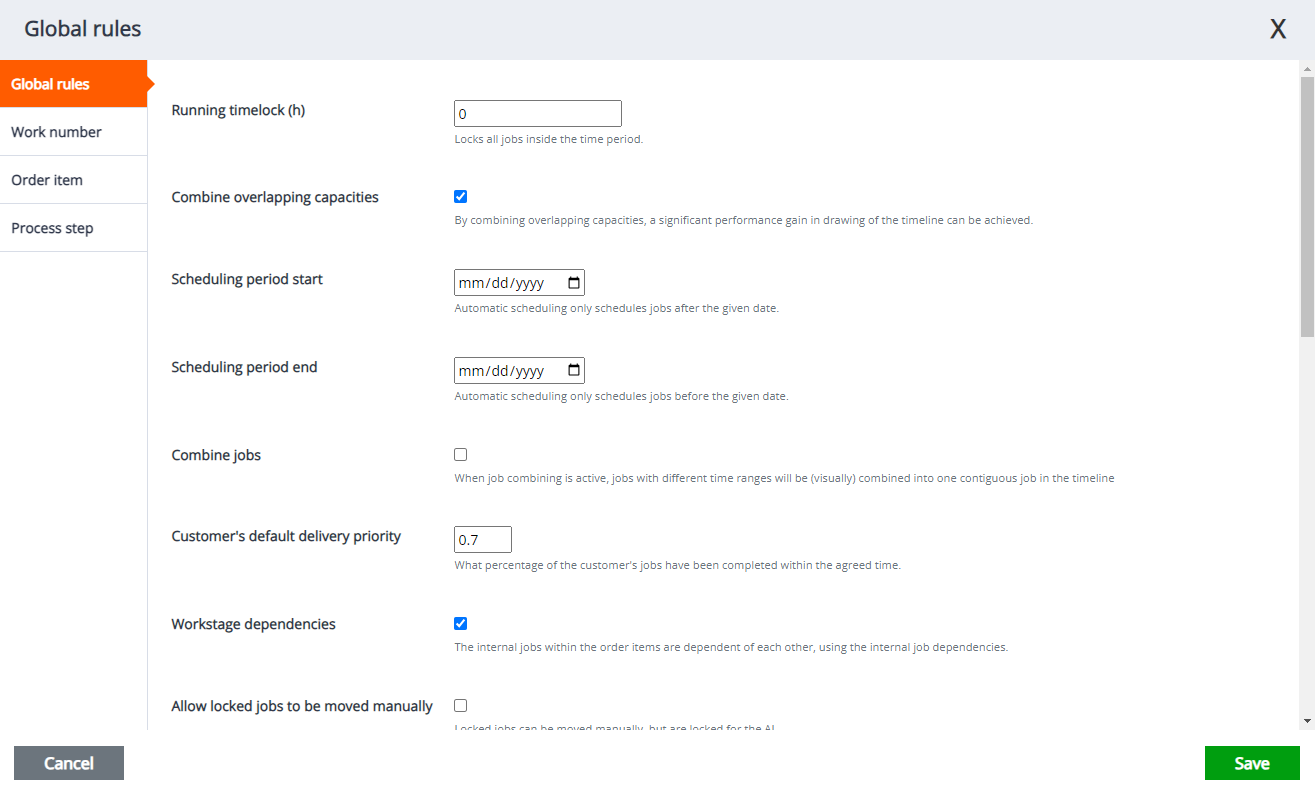
- Look for Allow moving jobs to other more appropriate workstations option and check on the box.

- Finally, click Save.