
Job Details in the GANTT Timeline
You can learn more about each job by right-clicking and selecting "Job details." Here, you can see more information about the item, the process steps, the number of pieces completed, the amount of defective pieces, instructions for this step, the client, and more.
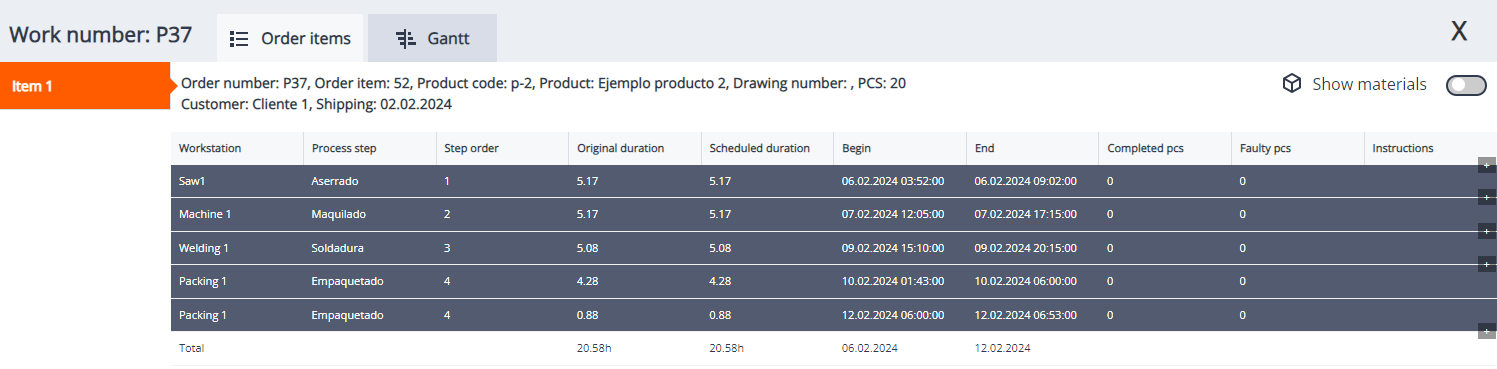
On top, we have the option "Show material." By switching this button, we get information about the materials, quantities, etc.

Next to Order Items, we have the "GANTT View," unlike the GANTT Timeline; this option shows only the lineal time of an order's beginning and completion without showing the process steps. It is basically a rougher and more basic view.
