
Integration tutorial
Workflow for basic integration
This is an integration workflow for a basic Skyplanner implementation using the Skyplanner REST API. In this guide, we use the Postman application to send requests to the API.
Kind reminder: The Skyplanner REST API is a benefit offered exclusively for premium members.
You can find the link to the API documentation from your Skyplanner installations home page:

Your API address should look like this: https://yourinstallation.skyplanner.app/production-planning/api/v3/workstations
Authentication to the API is done by Authorization-Token in the request header:

Contact your reseller or Skyplanner support to get your API token.
Integrating basic data to Skyplanner
- Workstations
- Add the workstations using the workstations endpoint.
- Add the workstations using the workstations endpoint.
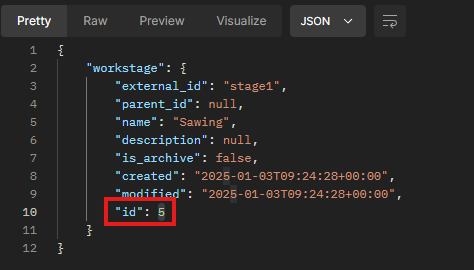
- Workstages
- Add the workstages using the workstages endpoint
- Add the workstages using the workstages endpoint
- Products / Materials
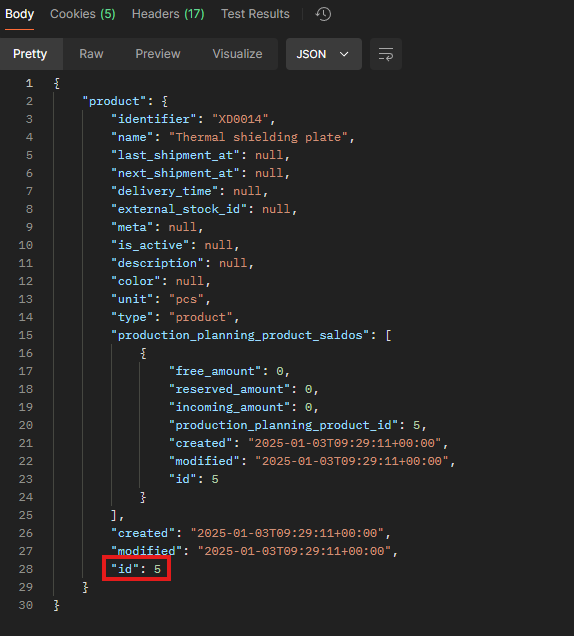
- Add products and materials using the products endpoint
- Add products and materials using the products endpoint
- Customers
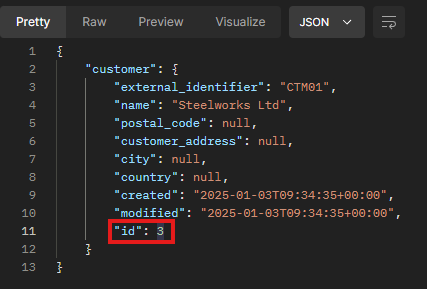
- Add customers using the customers endpoint
- Add customers using the customers endpoint
- Orders
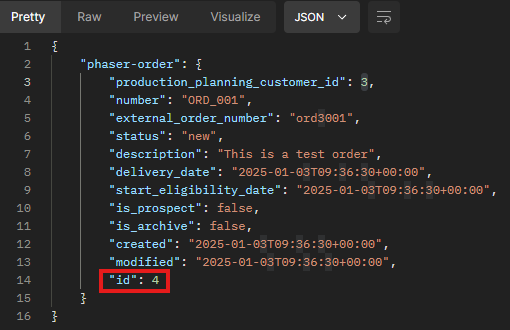
- Add orders using the phaser-orders endpoint
- Use the id you got from creating the customer in the production_planning_customer_id field
- Add orders using the phaser-orders endpoint
- Order items
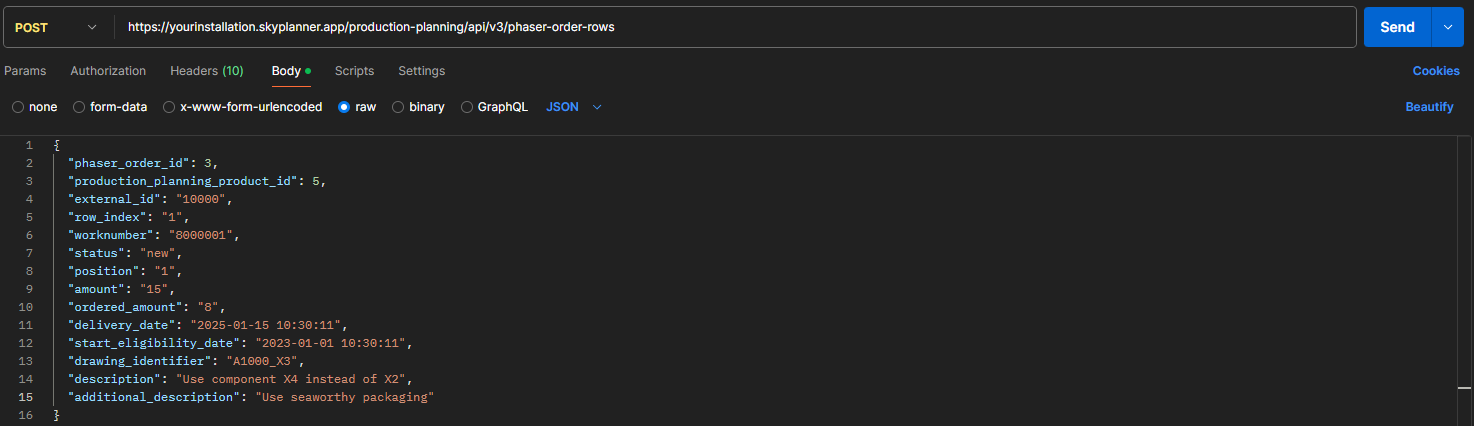
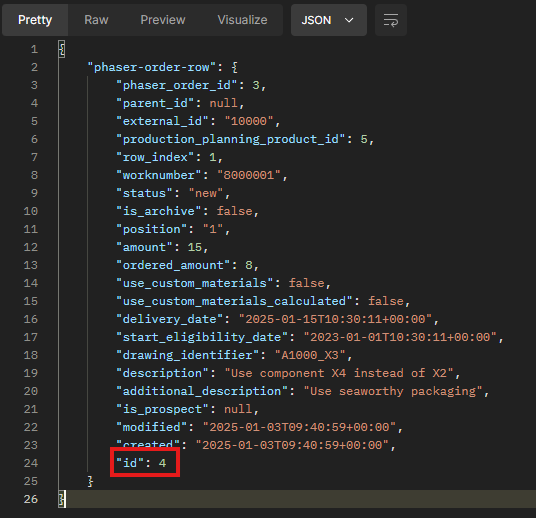
- Add order items using the phaser-order-rows endpoint
- User the ids you got from the request responses from order and product in the phaser_order_id and production_planning_product_id fields, respectively.
- Add order items using the phaser-order-rows endpoint
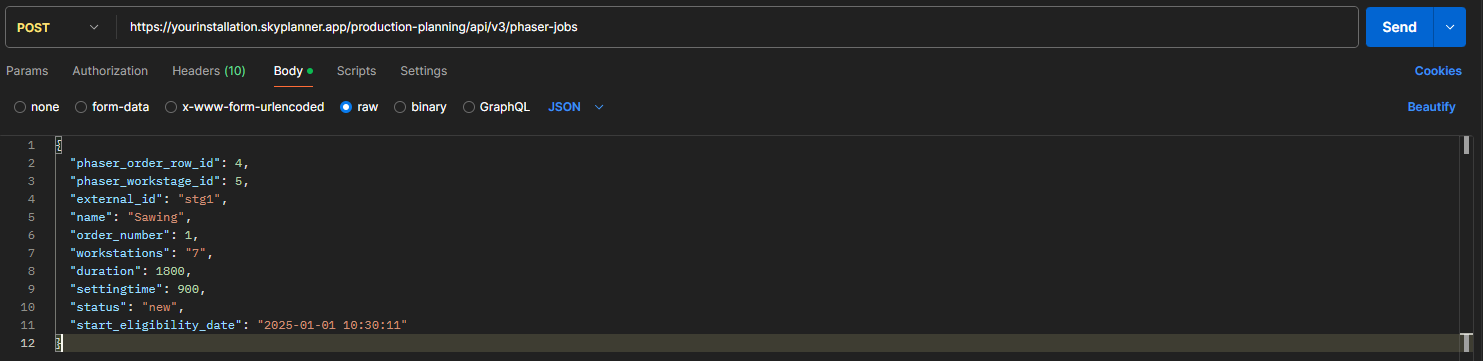
- Jobs
- Add jobs using the phaser-jobs endpoint
- User the ids you got from the request responses from order item, workstage, and workstation in the phaser_order_row_id, phaser_workstage_id, and workstations (put your workstation ids here in a comma separated string) fields.
- Add jobs using the phaser-jobs endpoint






And there you have it! You have created a basic order with jobs to export to the Production Scheduling module.