
How to add a workstation to a specific tool
To add or change a tool's workstation:
- Go to Resources and select Tools.
- In the Tool panel, click on the tool you want to add a workstation.
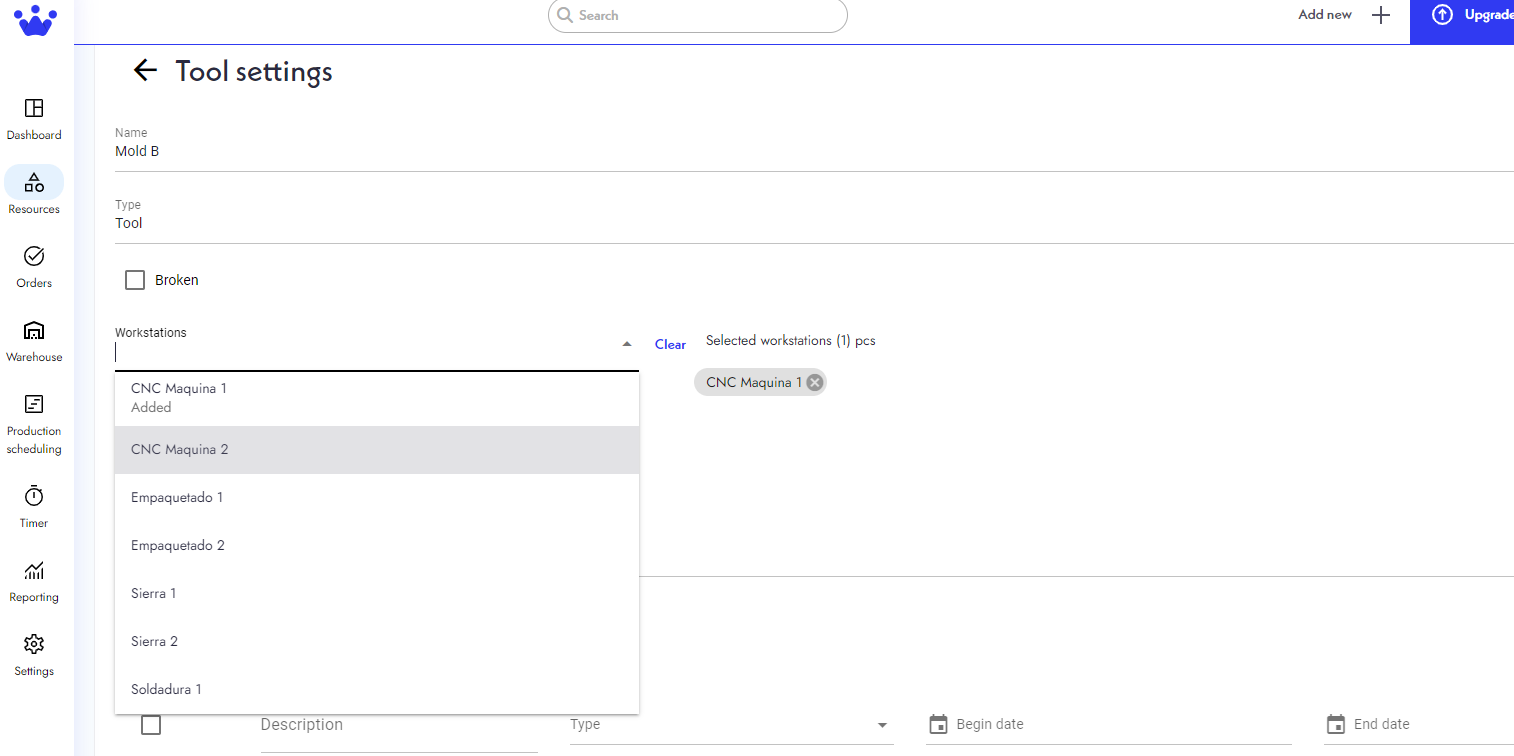
- Select the workstation that can use this tool.
- You can also change the workstation of a tool by pressing X on the Selected workstations on your right. Remember that a tool can also have several workstations, so do not think there is a limit to just one.
- Finally, click Save.
Now, your tool has its workstation updated.